
In an era where AI promises to transform the way we live, work, and interact, there’s one critical question every product team must ask:
“Are we designing AI that users actually need—or just what’s technically possible?”
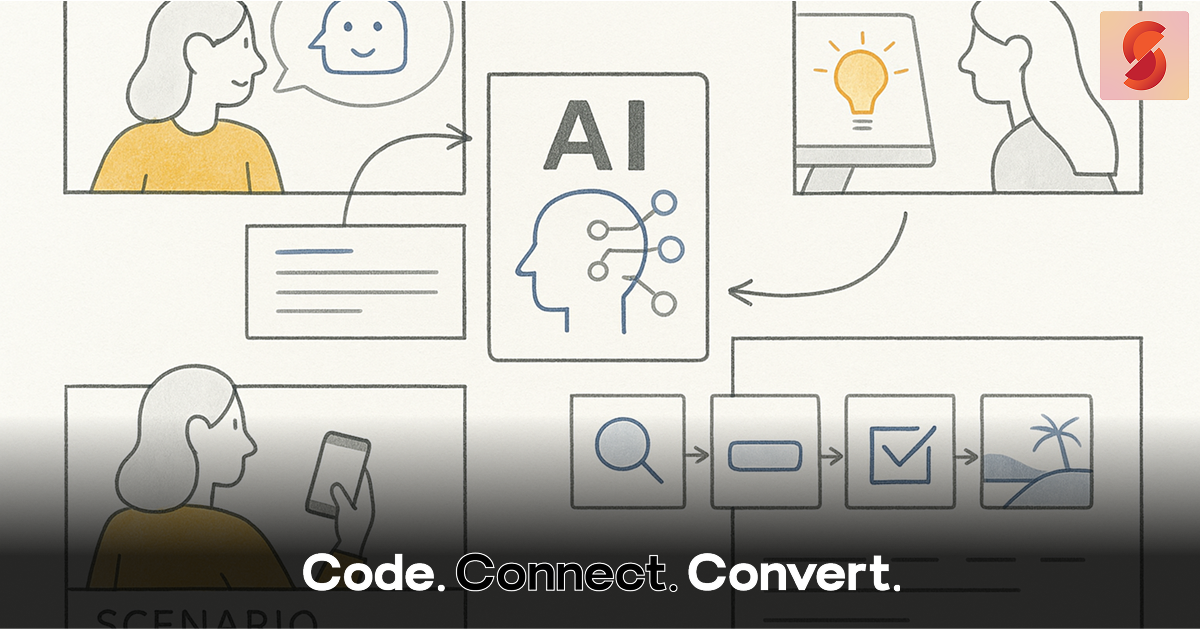
Too often, AI projects start with capabilities first—what the algorithm can do—rather than what the user needs. That’s where storyboarding comes in. It’s one of the most powerful, underused tools in the UX toolkit to ensure that AI products stay rooted in human experience.
Let’s explore how storyboarding helps align machine intelligence with human intent.
What Is Storyboarding in UX? 🎬
Originally used in film and animation, storyboarding is a visual way to map out a user’s journey through a product or service. It focuses not just on actions, but also on context, emotion, and outcome.
In AI design, this becomes even more important because:
- AI often works in the background (predicting, suggesting, learning).
- Its behavior can be hard to explain or predict.
- Users need to understand, trust, and control AI actions.
Storyboarding allows designers to visualize and test these invisible processes before a single line of code is written.
Why AI Needs Storyboards More Than Ever 🤖
AI systems are non-linear and data-driven, which makes it difficult to predict how they’ll behave in every situation. This unpredictability can break the user experience.
Storyboarding helps by:
1. Revealing Gaps in Logic
Even well-intentioned AI features may lack clear handoffs, feedback loops, or human fallback options. A storyboard can expose where the user might feel lost, confused, or powerless.
2. Putting Users at the Center
It forces the design team to think about who the user is, what they’re trying to achieve, and how AI helps—or hinders—them.
3. Avoiding Feature Creep
With AI, it’s easy to overbuild. Storyboarding helps focus the product on solving a real problem, not just showcasing a shiny algorithm.
What a Good AI Storyboard Looks Like 🖍️
A typical AI storyboard includes 4–8 frames:
| Frame | Content |
| 1 | The user’s initial need or trigger (e.g., “Booking a hotel for a last-minute trip”) |
| 2 | The user begins the task (searching, filtering, etc.) |
| 3 | AI identifies patterns or predicts intent |
| 4 | AI offers assistance or recommendations |
| 5 | The user responds (accepts, edits, ignores) |
| 6 | Outcome is reached (e.g., hotel booked) with AI support |
| 7 | Post-experience (feedback, rating, future personalization) |
The key is to show user emotions and context: anxiety before a trip, frustration with too many options, relief when AI provides helpful suggestions.
Example: Storyboarding an AI Travel Assistant 🌍
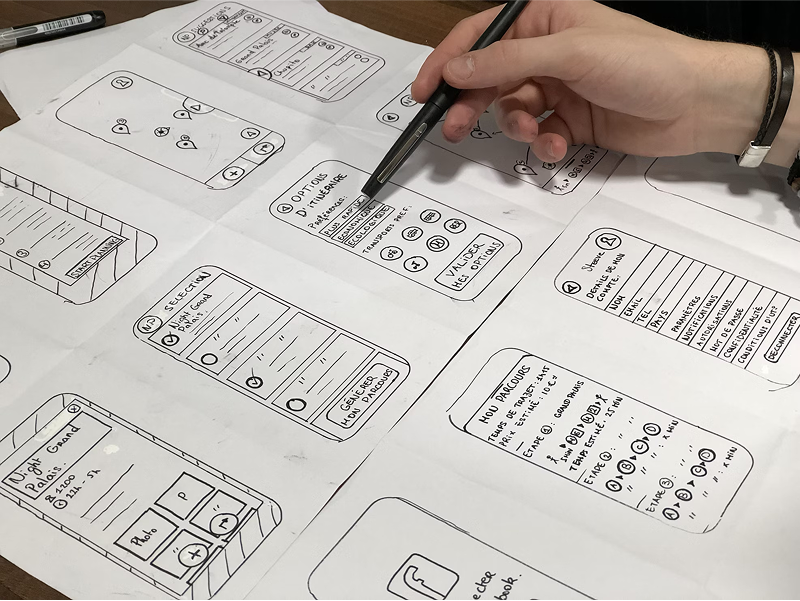
Scenario: A user wants to book a flight, hotel, and visa help within 30 minutes.
Storyboard might show:
- Frame 1: User enters travel dates, unsure where to start.
- Frame 2: AI identifies weather issues and flags better airports.
- Frame 3: AI recommends hotels based on past stays and budget.
- Frame 4: AI integrates Sherpa API to display visa requirements and documents needed.
- Frame 5: User confirms itinerary and completes booking.
- Frame 6: AI sends follow-up reminders, weather alerts, and loyalty points earned.
By sketching this, we ensure the AI features are helpful, transparent, and personalized.
Bonus: How Storyboarding Helps the Team ✨
- Stakeholders understand the human benefit of AI, not just the tech.
- Developers get clarity on system behaviors and user expectations.
- Designers think more about trust, control, and emotion—not just UI.
Storyboards create a shared visual language that connects design, development, product, and even marketing.
Final Thoughts 🚀
As AI continues to evolve, we must ask ourselves:
Are we building tools for users—or just building tech for tech’s sake?
Storyboarding is a way to answer that. It ensures our AI-powered products stay grounded in the realities of everyday human behavior.
So before you code that next predictive model, try this instead:
🖍️ Grab a marker.
🧠 Think about your user.
📖 Tell their story.
Because the future of AI isn’t just data-driven—it’s user-driven.